A practical PDF-reading check
The PDF opens, but AI reads it incorrectly: text-based and scanned files
A PDF can open and look perfectly readable while giving a text-extraction tool no words at all. If an AI summary or its numbers seem wrong, first establish what kind of material the tool received. We made two versions of one small Armenian card and checked extraction without uploading either file to ChatGPT.
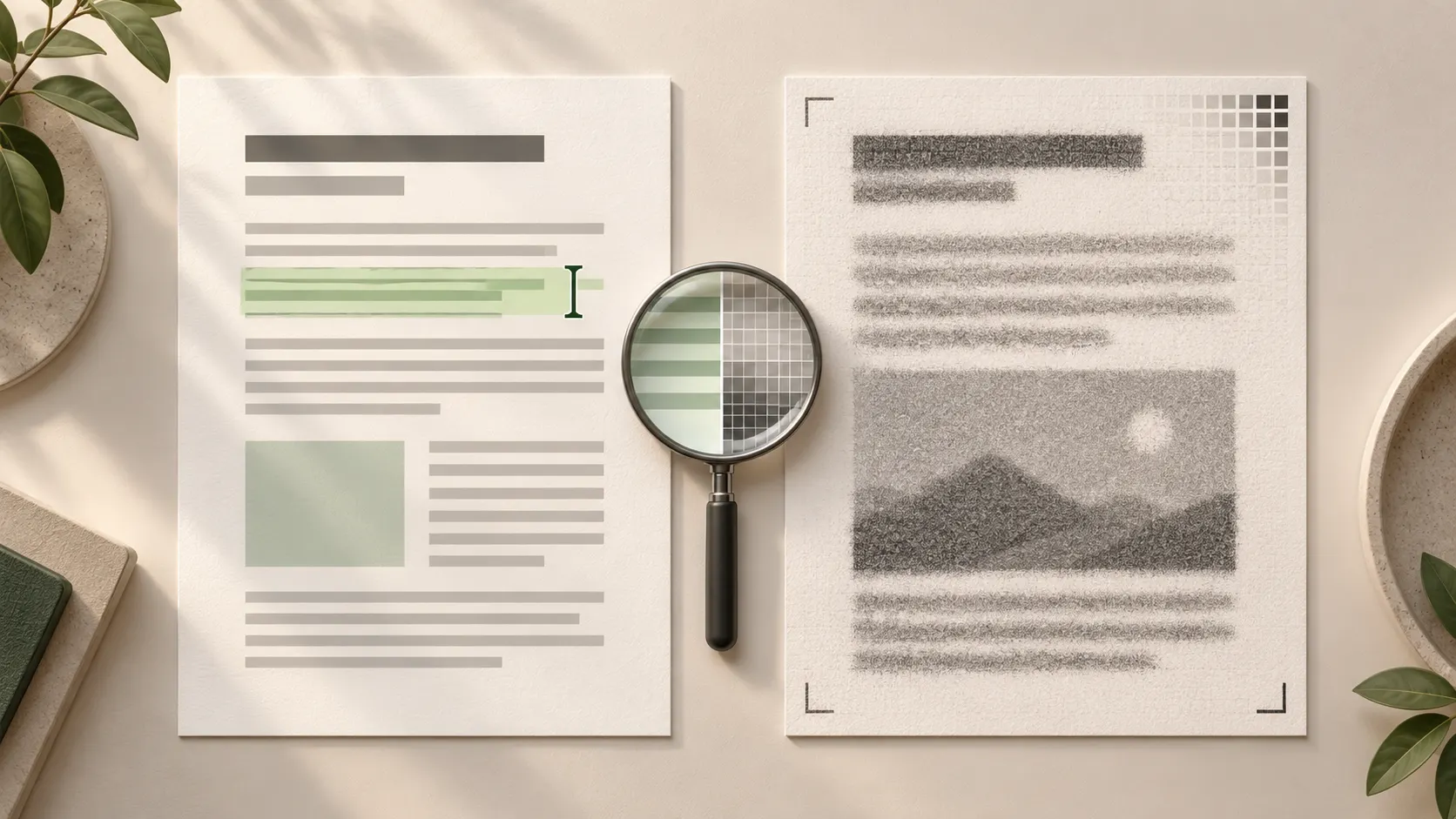
A readable page image does not establish that a PDF contains extractable text. Compare a short passage on the page with the extracted result. An image-only page may need OCR or a tool that can process images; names, numbers and field relationships still need checking against the original. Our experiment measures extraction, not AI accuracy.
The same page can have a different internal structure
In a text-based PDF, letters are stored as text elements. In an image-only version, the page is a picture: people can see the letters, but an ordinary text extractor does not automatically turn them into words. Real PDFs can also mix page types or contain an OCR-generated text layer.
The official pypdf guide explains that an image-only page can yield little or no extracted text. The .pdf extension alone therefore does not describe what data is available inside. Enlarging an image can make it easier to see, but does not by itself add a text layer.
What we compared
On 1 November 2026, we made a one-page, entirely fictional order card in Armenian. It is not a customer document, the prices are not market offers, and the date is not a delivery promise. Its six fields translate as follows.
We created the first PDF with text elements, rendered its page to an image, then embedded that same image in a second PDF without adding OCR or new text. It is a clean simulation of an image-only scan, not a test of a physical scanner, a blurred photograph or handwriting.
- Product: blue notebook.
- Quantity: 12 units.
- Unit price: AMD 1,250.
- Delivery: AMD 1,500.
- Total: AMD 16,500.
- Fictional handover date: 2026-11-05.
Observed result: the same appearance, different extraction
Both PDFs contain one page. Their page images rendered at 150 dpi matched pixel for pixel. The Armenian text and numbers were readable without clipped lines. We then extracted text from the same files using pypdf 6.10.0 and pdfplumber.
Both tools recovered all eight original lines from the text-based PDF: the heading, the fictional-example notice and six fields. Both preserved the numbers and date. From the image-only PDF, both returned zero non-whitespace characters. Inspection found one image object in that version.
These observations concern our two fixtures and the specified extractors. We did not upload them to ChatGPT, call an API, run OCR or manually select text in a PDF viewer. We therefore cannot conclude that AI would fail to read this page or that all scanned PDFs are unreadable.
OCR and image reading are different from text extraction
OCR attempts to turn letters in an image into text. Adobe’s official guidance describes adding searchable text to scanned PDFs and checking the recognition result. We did not perform that step and report no OCR language-quality score or error rate.
Empty extraction also does not establish that a vision-capable AI tool cannot read a PDF. Current OpenAI API documentation describes PDF processing with both extracted text and page images for models with vision capabilities. That is a documented API mechanism, not an outcome of our experiment or confirmation of every feature available in your ChatGPT account.
A decision checklist before processing the whole document
Choose a short, non-confidential passage containing a heading, name, number and date. If possible, copy or extract it and compare the output with the page image. Successful text selection is only an initial sign: inspect the content that was actually obtained.
Before requesting a polished summary of the whole document, establish whether the input was read correctly. If only certain pages are troublesome, keep their original page references when examining a smaller passage.
- Text is present and matches the original: continue with a small passage, checking names and numbers.
- No text is returned: establish whether the tool supports OCR or image reading; obtain the original text-based material where possible.
- Text is present but characters are wrong: check recognition, fonts or a cleaner source version.
- Numbers are correct but rows are mixed: restore field-value relationships and compare with the original.
- The content remains uncertain: record the open question instead of filling the gap by guessing.
Keep the original and the limits of the check
Start with a fictional example you created. Before sending a real document to a service, establish that you are permitted to do so and remove identifying or confidential details the task does not require. Covering a name alone may be insufficient if other details identify a person or organisation.
Keep the file version, checked page, tool name, extracted text and unresolved fields. Our conclusion is narrow: visually identical PDFs can provide different text data to an extractor. Checking sources in an AI answer is a separate task, as is learning to use AI for everyday Armenian-language work.
Key takeaways
- A page’s appearance and its extractable text require separate checks.
- Both extractors recovered eight lines from our text PDF and zero non-whitespace characters from the image-only one.
- This is not an accuracy test of ChatGPT, OCR or every PDF.
- Check names, numbers and field relationships against the original before summarising.
Frequently asked questions
Does AI always misread scanned PDFs?
No. Results depend on the file and the tool’s processing mechanism. Our experiment shows only that text extraction and reading a page image are different processes.
If I can copy text, can I skip further checks?
No. Copied text can contain wrong characters, numbers or reading order. Compare a small passage with the page image.
Did ChatGPT fail to recognise Armenian in your example?
We did not run that experiment. We recorded pypdf and pdfplumber extraction results from two PDF versions of the same fictional Armenian card.
Which file should I use if I also have the original document?
Start with a version suited to the task that you can verify. Original text-based material can help, but table relationships and layout still need checking.
Sources
Checked: